


Trust Signal Auditor for auditing visible trust markers
As part of our SEO Agency India hub, this Trust Signal Auditor helps you check whether your website looks credible enough for users and search engines. Add your key URLs, author details, policies, reviews, business proof, and schema notes to find trust gaps faster.
Trust Signal Auditor
Audit your website's visible trust markers and identify gaps that may weaken user confidence, SEO credibility, and conversions.
Enter key URLs, review your trust signals, and use the checklist below to generate a prioritized trust improvement plan. All processing stays in your browser — nothing is uploaded or crawled.
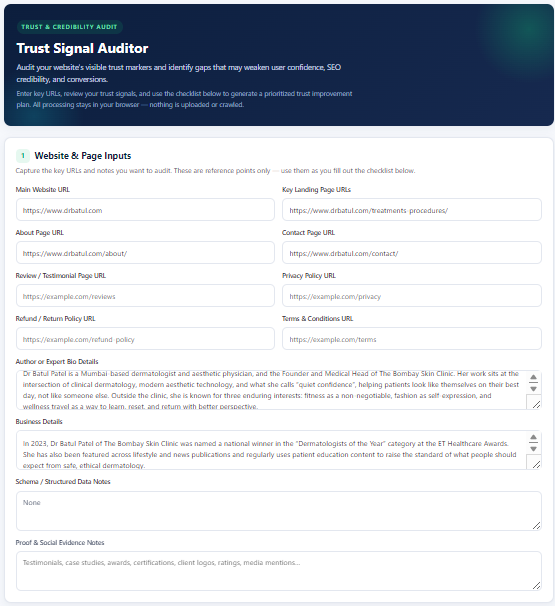
1Website & Page Inputs
Capture the key URLs and notes you want to audit. These are reference points only — use them as you fill out the checklist below.
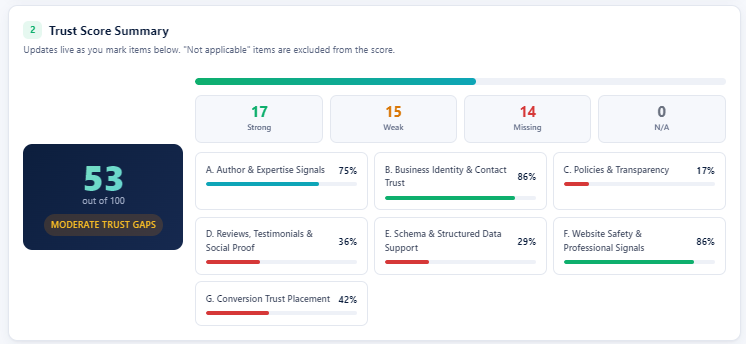
2Trust Score Summary
Updates live as you mark items below. "Not applicable" items are excluded from the score.
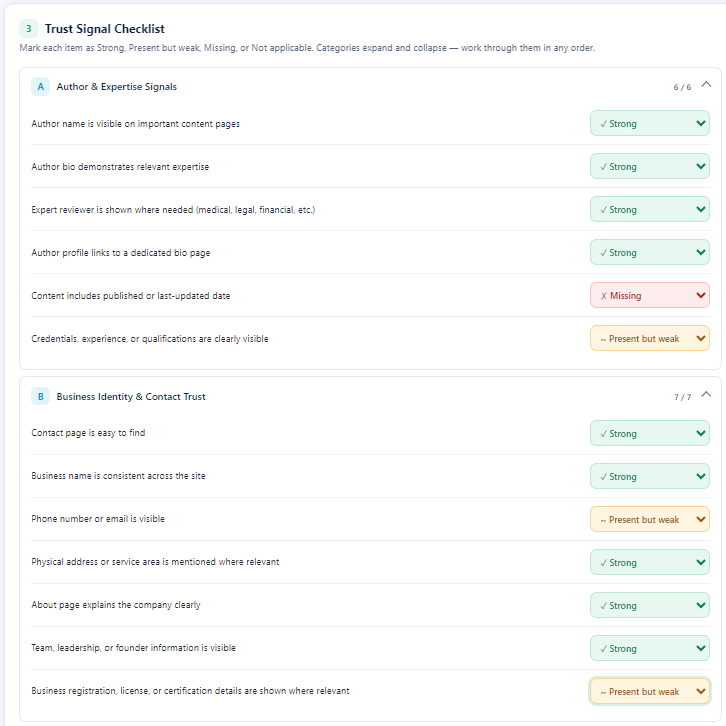
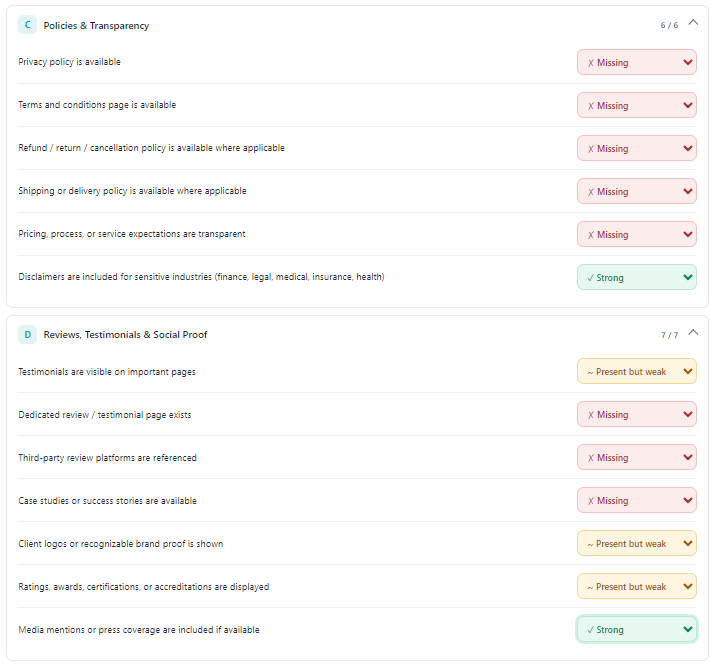
3Trust Signal Checklist
Mark each item as Strong, Present but weak, Missing, or Not applicable. Categories expand and collapse — work through them in any order.
4Priority Fixes
A live, prioritized list of issues based on your selections — high-priority items first.
5Trust Gap Summary
Your top 5 prioritized fixes and suggested next action, based on the checklist above.
Top 5 fixes to prioritize
- Complete the checklist to see your top 5 priorities.
Suggested next action
Begin by completing the checklist above. Your prioritized recommendations will appear here.
Table of Contents
Why this tool matters
Trust is not a single website element. It is built through visible author signals, clear business details, policy transparency, third-party proof, secure forms, accurate schema, and supporting evidence near conversion points.
The Trust Signal Auditor helps you review these signals in one place. Instead of guessing why a page feels weak, you can mark what is strong, what is missing, and what needs improvement.
What to enter into the tool
You can add the key references that help you audit trust faster:
- Main website URL and important landing page URLs
- About page and Contact page URLs
- Review or testimonial page URL
- Privacy policy, refund policy, and terms page URLs
- Author or expert bio details
- Business details such as address, phone, licenses, awards, or certifications
- Schema or structured data notes
- Proof notes such as testimonials, case studies, client logos, ratings, and media mentions
What the Trust Signal Auditor checks
The tool organizes trust signals into practical audit categories:
- Author & Expertise Signals: bylines, bios, expert review, credentials, and content dates.
- Business Identity & Contact Trust: contact details, business name consistency, address or service area, About page, team details, and registration proof.
- Policies & Transparency: privacy policy, terms, refund or cancellation policy, shipping or delivery policy, pricing clarity, and disclaimers.
- Reviews, Testimonials & Social Proof: testimonials, third-party reviews, case studies, client logos, awards, certifications, and media mentions.
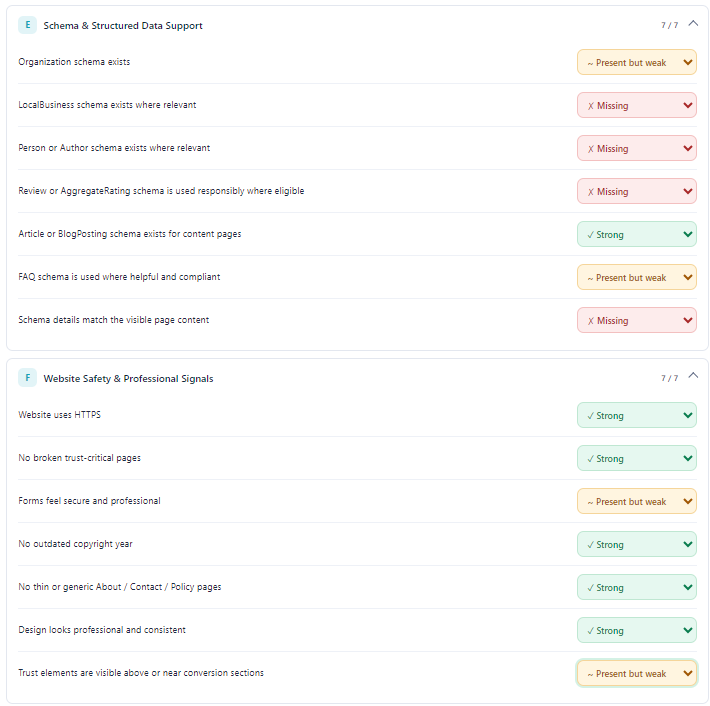
- Schema & Structured Data Support: Organization, LocalBusiness, Person, Review, Article, BlogPosting, FAQ, and schema-to-visible-content consistency.
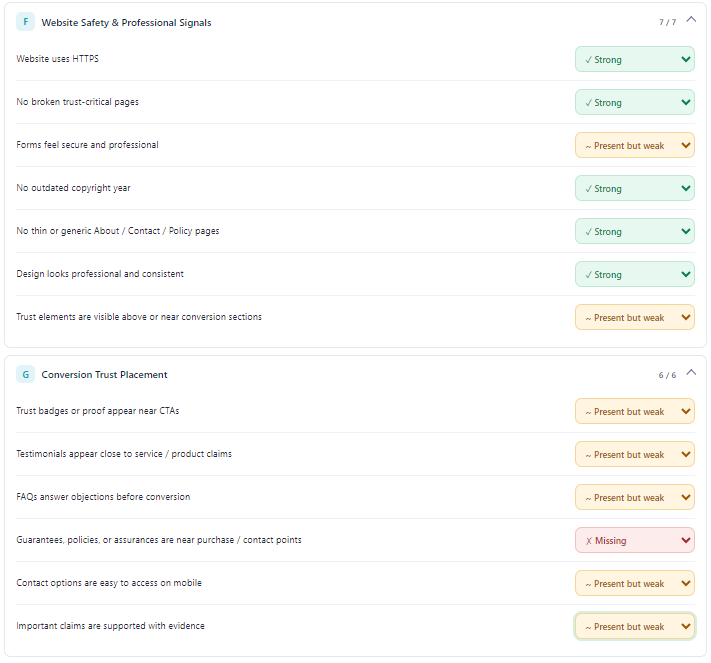
- Website Safety & Professional Signals: HTTPS, working trust pages, secure forms, updated footer, non-thin policy pages, and consistent design.
- Conversion Trust Placement: trust proof near CTAs, testimonials near claims, objection-handling FAQs, guarantees, mobile contact access, and evidence-backed claims.
How to use the Trust Signal Auditor
You can complete a quick audit in five steps.
1. Add your website and reference URLs
Start with the main website URL, key landing pages, About page, Contact page, review page, privacy policy, refund policy, terms page, author details, business details, schema notes, and proof notes. These inputs help you audit the same trust signals that users check before they contact, buy, or submit a form.
2. Review the live Trust Score Summary
The score updates as you mark items as Strong, Present but weak, Missing, or Not applicable. Use the category bars to see which trust areas need the most work.
3. Complete the Trust Signal Checklist
Work through the checklist by category. The goal is not only to get a higher score, but to identify the trust gaps that affect rankings, conversions, and user confidence.
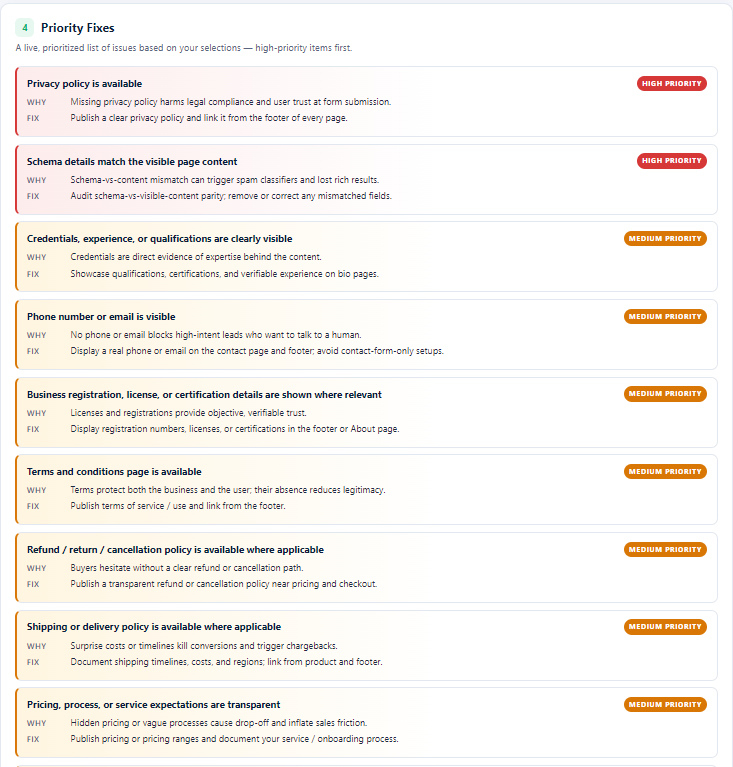
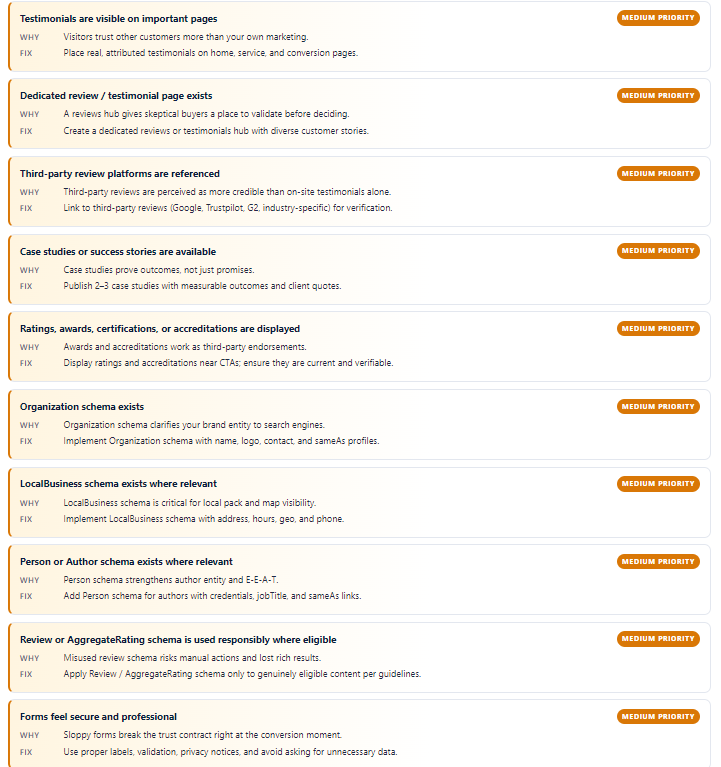
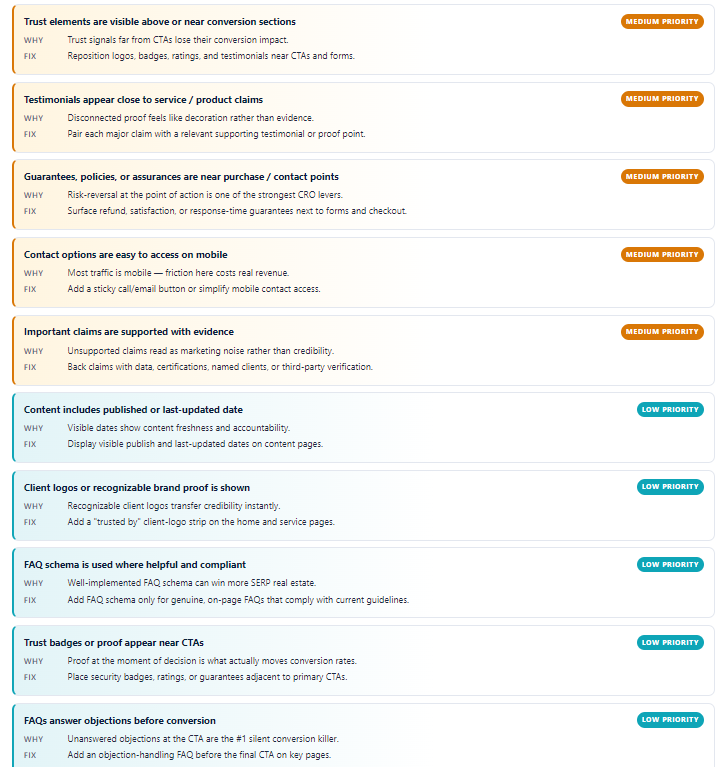
4. Read the Priority Fixes list
The tool turns weak and missing signals into a prioritized action list. Start with high-priority items such as missing privacy policy, schema mismatch, contact visibility, credentials, and policy transparency.
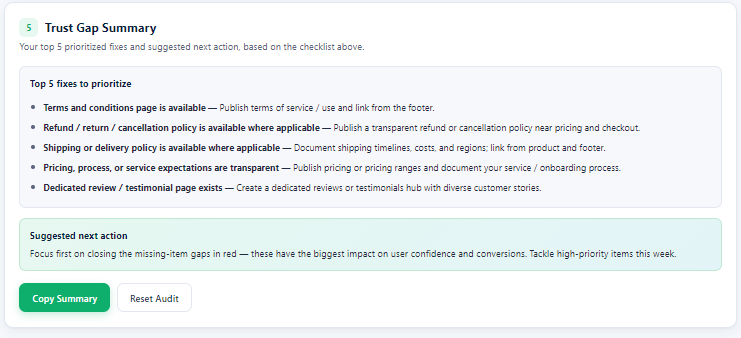
5. Copy the Trust Gap Summary
Use the final summary to create a quick SEO, CRO, or development task list. The top five fixes are useful for client reporting, internal website QA, or monthly trust-signal reviews.
Where this fits in SEO
Trust signals support more than design polish. They help users feel safer before converting and help SEO teams improve the visible quality signals that are often reviewed during content, technical, and conversion audits.
For an SEO agency India workflow, this tool works well alongside technical SEO checks, content quality reviews, internal linking audits, local SEO checks, schema validation, and landing page optimization.
Need a credibility-first SEO audit?
Use the tool for a quick self-check. If you want a deeper review of trust signals, technical SEO, content quality, and conversion gaps, Supramind can help you turn the audit into an implementation plan.
Get a Free Trust SEO AuditWho should use this tool?
This Trust Signal Auditor is useful for SEO agencies, founders, in-house marketers, content teams, developers, healthcare websites, finance websites, local businesses, ecommerce brands, and service businesses that depend on trust before conversion.
FAQ
What does the Trust Signal Auditor check?
It checks visible trust markers such as author expertise, business identity, contact details, policies, testimonials, reviews, schema support, website safety, and proof placement near conversion sections.
Is this tool only for SEO agencies?
No. It is useful for SEO agencies, business owners, content teams, developers, healthcare websites, finance websites, ecommerce brands, local businesses, and any website where trust affects leads or sales.
Do I need technical knowledge to use it?
No. You can use the tool by reviewing the visible website and marking each checklist item. Schema notes are optional, but helpful for SEO and technical audits.
Does the tool crawl or upload my website data?
No. The tool works as a browser-side checklist. The URLs and notes are reference inputs for your audit and are not crawled or uploaded by the tool.
How often should I run a trust signal audit?
Run it before publishing a new website, after major template changes, before paid campaigns, and during quarterly SEO reviews. It is especially useful after adding new service pages, author pages, review sections, or policy pages.
Final note
If a website has good traffic but weak leads, trust gaps may be part of the problem. Use this tool to find missing proof, weak policy visibility, thin contact details, poor schema alignment, and CTA areas that need stronger credibility signals.
- Log in to post comments


 INDIA
INDIA