


Topical Cluster Mapper – Strategic Topic Planning for SEO Agencies
As part of our wider best SEO agency in India resources, this Topical Cluster Mapper helps you turn keyword lists into clear hub-and-spoke content plans for SEO services, content strategy, and related search themes.
Topical Cluster Mapper
Group keywords into topical clusters, map them to ideal page types, surface content gaps, and generate a clean URL structure for stronger topical authority.
Enter your seed keyword and content inputs to build hub-and-spoke clusters, detect missing pages, and prioritize next actions. All processing stays in your browser — no data is uploaded or crawled.
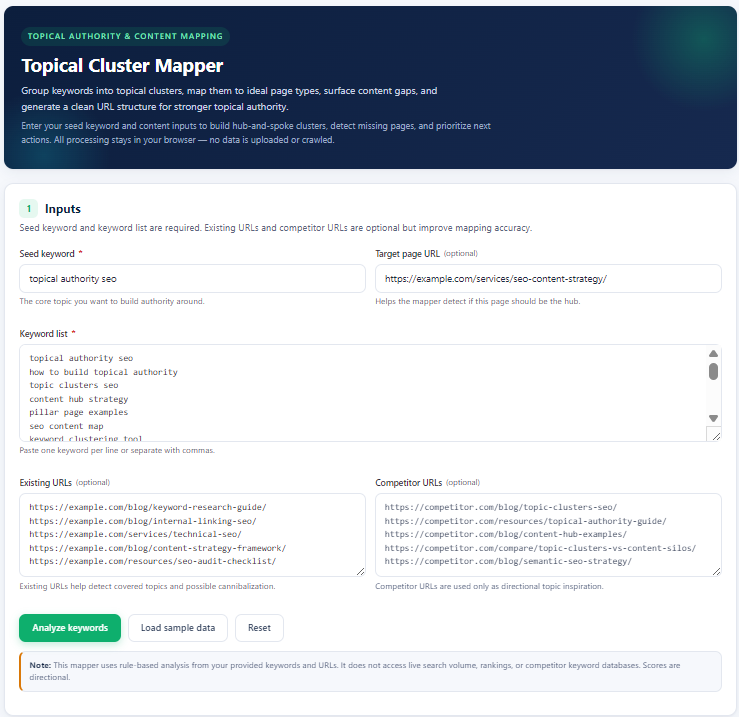
1 Inputs
Seed keyword and keyword list are required. Existing URLs and competitor URLs are optional but improve mapping accuracy.
Note: This mapper uses rule-based analysis from your provided keywords and URLs. It does not access live search volume, rankings, or competitor keyword databases. Scores are directional.
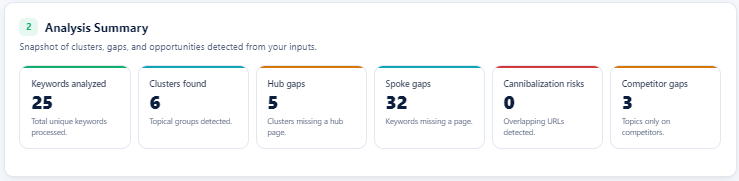
2 Analysis Summary
Snapshot of clusters, gaps, and opportunities detected from your inputs.
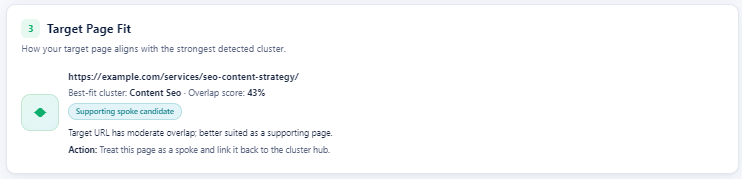
3 Target Page Fit
How your target page aligns with the strongest detected cluster.
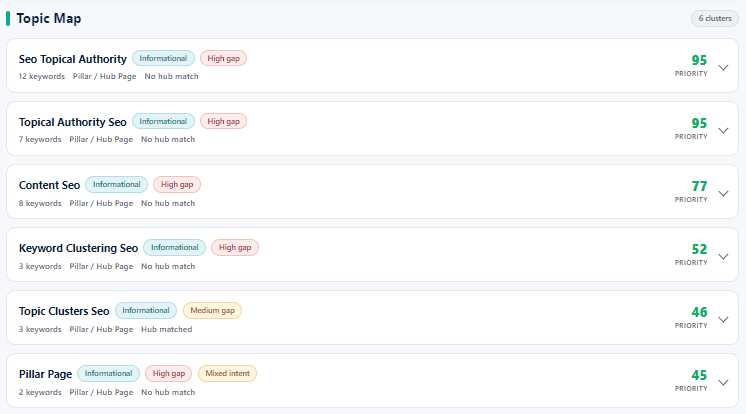
Topic Map
0 clustersKeyword-to-Page Mapping
| Keyword | Cluster | Intent | Page Type | Existing Match | Suggested URL | Confidence |
|---|
Gap Analysis
Suggested URL Structure
Recommended Next Actions
4 Export & Share
Copy the analysis in different formats or save the report for stakeholders.
Table of Contents
Why this tool matters
Topical authority is easier to build when every keyword has a clear job. A service hub should target the main business intent, while supporting pages answer related questions, compare options, cover subtopics, and link back to the hub.
The Topical Cluster Mapper gives SEO teams a faster way to organize keyword research before creating content. It is especially useful when you have a large keyword list but need to decide which pages should be hubs, which should be spokes, and which gaps should be fixed first.
- Group related keywords into topic clusters
- Map each keyword to the right page type
- Identify missing hub and spoke pages
- Spot possible cannibalization risk from overlapping URLs
- Build a suggested URL structure for content planning
What inputs to use
The tool works best when you add the core topic, the keyword list, and the URLs you already have. Competitor URLs are optional, but they can help surface directional content gaps.
- Seed keyword: the main topic you want to build authority around.
- Target page: the hub or service page you want to check against the detected cluster.
- Keyword list: keywords, questions, comparisons, and support topics.
- Existing URLs: your current pages that may already cover part of the cluster.
- Competitor URLs: pages from competitors that can inspire missing topic opportunities.
What the tool analyzes and outputs
After analysis, the mapper groups keywords into clusters and shows how each cluster should be handled. The output is designed for content planning, internal linking, and SEO page architecture.
- Analysis Summary: total keywords, clusters, hub gaps, spoke gaps, cannibalization risks, and competitor gaps.
- Target Page Fit: whether your target URL is a strong hub candidate, supporting spoke, weak match, or no match.
- Topic Map: cluster names, keyword counts, dominant intent, gap status, and priority score.
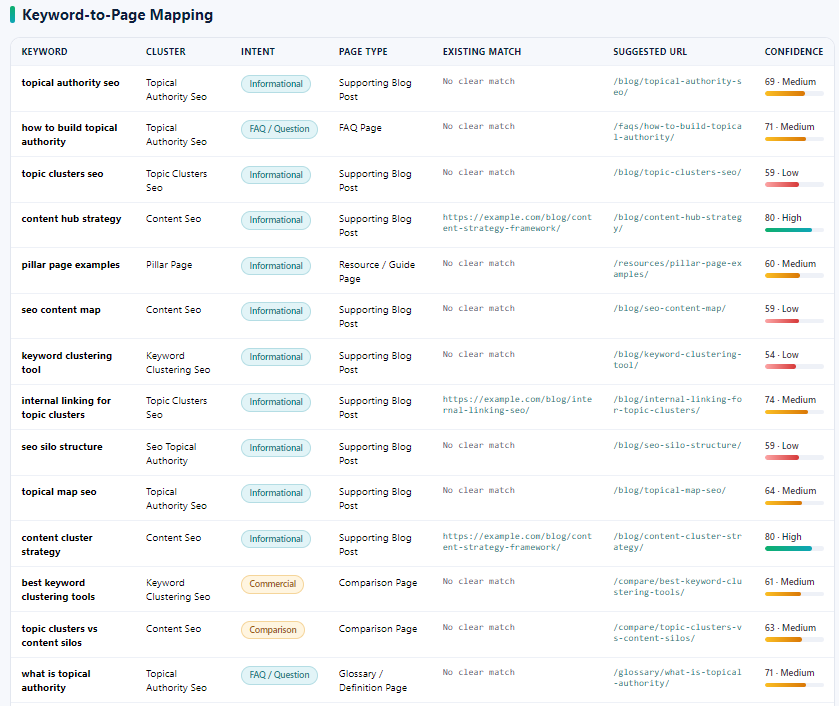
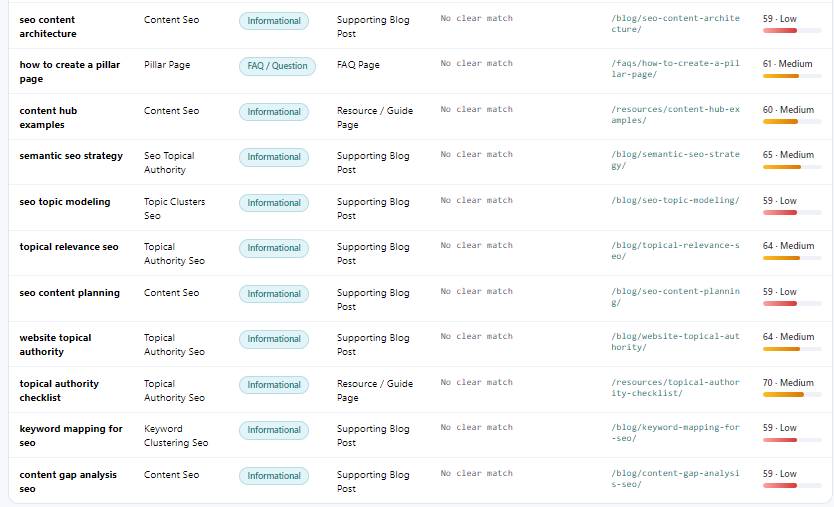
- Keyword-to-Page Mapping: keyword, cluster, intent, suggested page type, existing match, URL suggestion, and confidence.
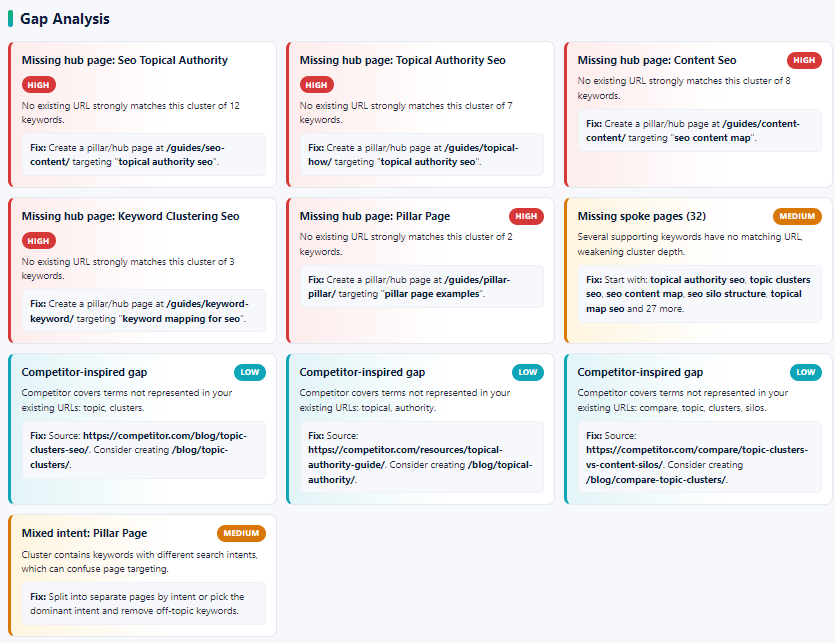
- Gap Analysis: missing hubs, missing spokes, mixed intent clusters, and competitor-inspired opportunities.
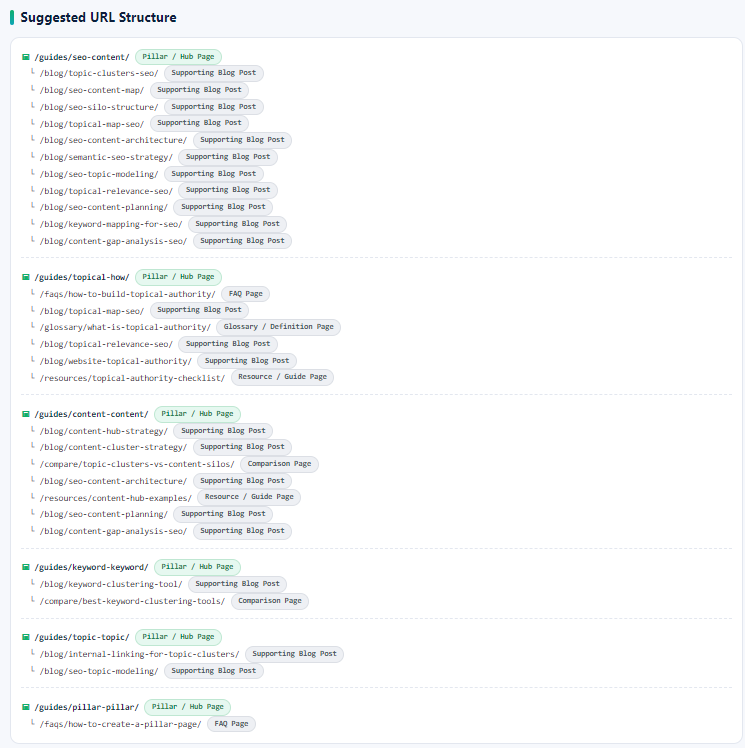
- Suggested URL Structure: a cleaner hub-and-spoke layout that can guide publishing.
Need a Clearer SEO Growth Plan?
Use the mapper to shape your content structure, then work with Supramind to turn the strongest clusters into ranking pages, internal links, and conversion-ready SEO assets.
Build My SEO Growth PlanHow to use the tool
You can use this mapper before writing content, before restructuring a blog category, or while planning a supporting content cluster for an SEO service hub.
1. Add your seed keyword, keyword list, target page, existing URLs, and competitor URLs
Start with the main topic you want to build authority around. Add your keyword list, then add existing and competitor URLs when you want more accurate mapping.
2. Review the analysis summary and target page fit
The summary tells you how many keywords were analyzed, how many clusters were found, and whether the target page looks like a hub or a supporting spoke.
3. Check the topic map and keyword-to-page mapping
Use the Topic Map to identify your strongest clusters. Then review the keyword table to see the recommended page type, existing match, suggested URL, and confidence score for each keyword.
4. Find content gaps and build the URL structure
The gap analysis shows missing hub pages, missing spoke pages, mixed intent clusters, competitor-inspired gaps, and priority fixes. Use the URL structure output to plan a cleaner hub-and-spoke content architecture.
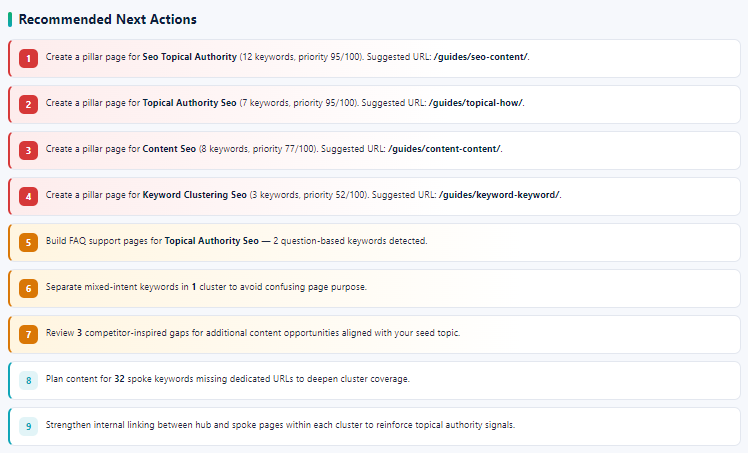
5. Prioritize next actions and export the plan
Use the recommended actions to decide what to create first. You can also copy the topic map summary, export keywords as CSV, copy URL structure, or print the report.

Final note
This tool is a planning assistant, not a replacement for expert SEO judgment. Use it to quickly structure topics, then validate priorities with search intent, business value, current rankings, and internal linking opportunities.
FAQ
What does the Topical Cluster Mapper do?
It groups keywords into topical clusters, maps each keyword to a recommended page type, flags hub and spoke gaps, and suggests a clean URL structure.
What inputs do I need to use this tool?
You need a seed keyword and keyword list. You can also add a target page URL, existing URLs, and competitor URLs to improve mapping accuracy.
Does the tool crawl my website or upload data?
No. The mapper works from the inputs you paste into the form. It does not crawl live websites or upload your data.
How does this support an SEO agency India content strategy?
It helps organize SEO topics into hub and spoke pages, so a service hub can be supported by clearer blog posts, FAQ pages, comparison pages, and internal links.
What should I do after exporting the output?
Use the output to prioritize missing hub pages, create spoke content, improve URL structures, and add internal links between related pages.
- Log in to post comments


 INDIA
INDIA