


Best Practices For Internal Linking For E-Commerce Websites

One of the important parts of websites is Internal linking which is essential for E-commerce websites too. Internal linking helps to improve the SEO, website navigation and user experience of your website.
Internal linking is linking one web page on a website to another web page on the same website. If a user clicks on an internal link of a website then the user will reach a different page of the same website. Internal links can be in the form of words, phrases or images.
Internal linking also helps search engines understand the hierarchy and the structure of a website. Reasons why Internal linking is important for E-commerce websites:

- E-commerce websites contain a lot of pages such as category pages, product pages and more. Internal linking is done to help the users to navigate through the pages and find the information they want.
- The E-commerce websites have too much competition with different vendors selling the same products. In such cases, Internal linking can help to improve the SEO and also improve the visibility of a website in the search results.
- Internal linking helps the search engines to discover and crawl the page thus improving the discoverability of a website. This helps to increase traffic and thus get more customers.
- Internal linking can also be used to highlight new products, sales, promotions, and customer reviews on a website. It may draw the attention of the users and encourage them to purchase products.
Types of internal links
There are in-content and navigational internal links. In-content links are links that are placed within the content of a page. Navigational links are the link in your website menu.
| Best Practice | Description | Why It's Important |
| Link to Relevant Product Pages | Ensure product pages are internally linked from category pages, related products, and blog content. | Enhances product discoverability and keeps users engaged by offering relevant alternatives. |
| Use Descriptive Anchor Text | Use clear, descriptive anchor text for internal links (e.g., "Shop Men's Sneakers" vs. "Click here"). | Helps search engines and users understand the context of the link, improving both SEO and UX. |
| Create a Hierarchical Structure | Organize your website into a clear hierarchy (e.g., categories > subcategories > products). | Improves website navigation and ensures that important pages receive more internal links. |
| Include Links in Product Descriptions | Add internal links to related products or categories within product descriptions. | Encourages cross-selling, increases session duration, and potentially boosts conversion rates. |
| Use Breadcrumbs | Implement breadcrumbs to show users their navigation path and provide internal links to higher-level pages. | Enhances user navigation and helps with SEO by structuring the site more effectively. |
| Ensure Link Distribution | Balance the number of links across pages to avoid over-optimization or neglecting important pages. | Ensures each page gets a fair share of internal link equity, improving page authority. |
| Link to High-Conversion Pages | Prioritize linking to high-conversion pages, such as product pages, promotions, or checkout pages. | Directs traffic to pages that are likely to convert, improving sales and ROI. |
| Mobile-Friendly Linking | Ensure internal links are easily clickable on mobile devices. | Optimizes user experience on mobile, where a large percentage of traffic comes from. |
| Regularly Update Internal Links | Review and update internal links regularly, especially if you add new products or pages. | Keeps your internal linking relevant and helps prevent broken links, which can harm SEO. |
| Avoid Overuse of Links | Don’t overload a page with too many internal links, as this can overwhelm users and dilute link equity. | Helps maintain a clean, navigable page structure that focuses link equity on the most important pages. |
Best practices - Internal linking
- When you link a page using the sitewide menu then it is linked from every page on the website. This will signal to Google that the web page is important. You should not overcrowd your menu.
- When you use a sitewide secondary navigation menu you can use it to highlight new product categories, sales, promotions, seasonal efforts and other links to category pages. Using a secondary menu in this way will help to add value to the search engines and the users.
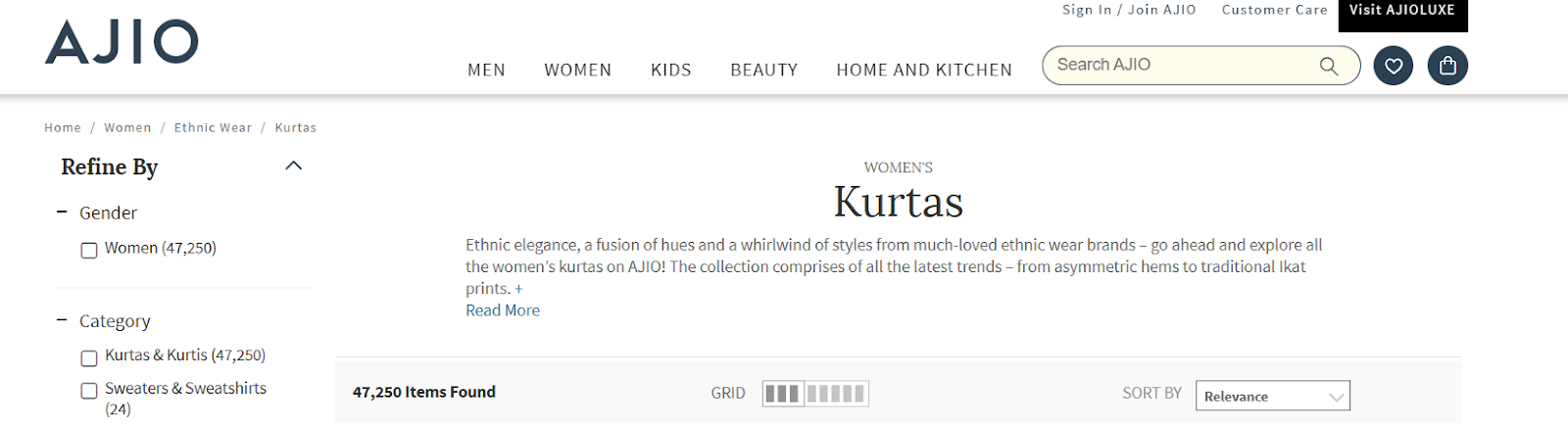
- Usually, at the top of the category and product pages HTML breadcrumbs are displayed. They show the path (series of links) that the user has taken to reach the current web page. This makes navigation to the previous pages easy and helps the users see where they are currently on the website. They help to improve the crawlability, user experience and relevance.
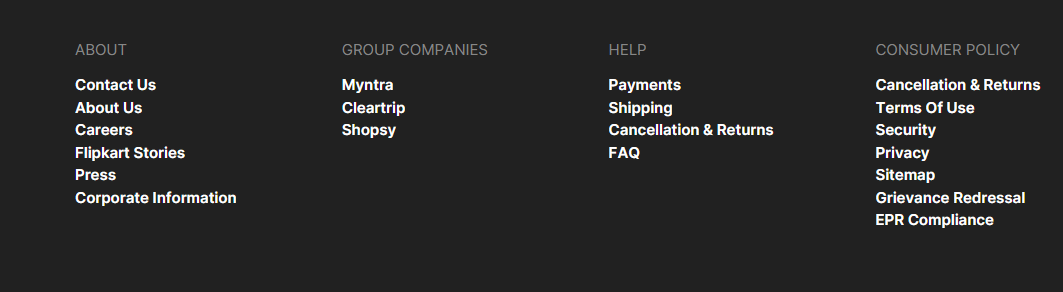
- All the pages of a website are listed in an HTML sitemap. It also provides links to these web pages. You can create a well-structured sitemap and link to it from the footer. This will ensure that most of the pages on the website can be reached using a few clicks away. This will improve SEO and user accessibility.
- You should provide content for your category pages and you can also create an article. You can add content paragraphs at the bottom of the category pages with heading tags. This will help to improve the user experience.
- You can also add a row of related searches above the supporting page content. For these links, you can use long-tailed keyword-rich text for your product and subcategory pages. This allows you to create keyword-rich anchor text links to your pages.
- Use related product widgets to help users find other products they may be interested in. You can use a wide variety of options like ‘People Also Viewed’, ‘Also in the Collection’, ‘People Also Bought’ and more.
- If you cannot use breadcrumbs then use the product attribute to fill in. A product can have attributes like size, colour, brand, style, texture and flavour.
- The different forms of user-generated content are reviews, testimonials and questions and answers. The Q&A section can be used across the website and offer internal linking automation.
You can hire E-commerce SEO services to optimise your website and get the best results.
Reference -https://www.internallinkjuicer.com/hub/ecommerce/internal-linking-best-practices/
- Log in to post comments


 INDIA
INDIA